Why this matters
Agent updates can feel risky because they sit close to the parts of the system that make the agent useful: config, credentials, memory, sessions, skills, dashboards, gateways, and chat connectivity. If one of those moves the wrong way, the update stops being a software chore and becomes an operations problem.
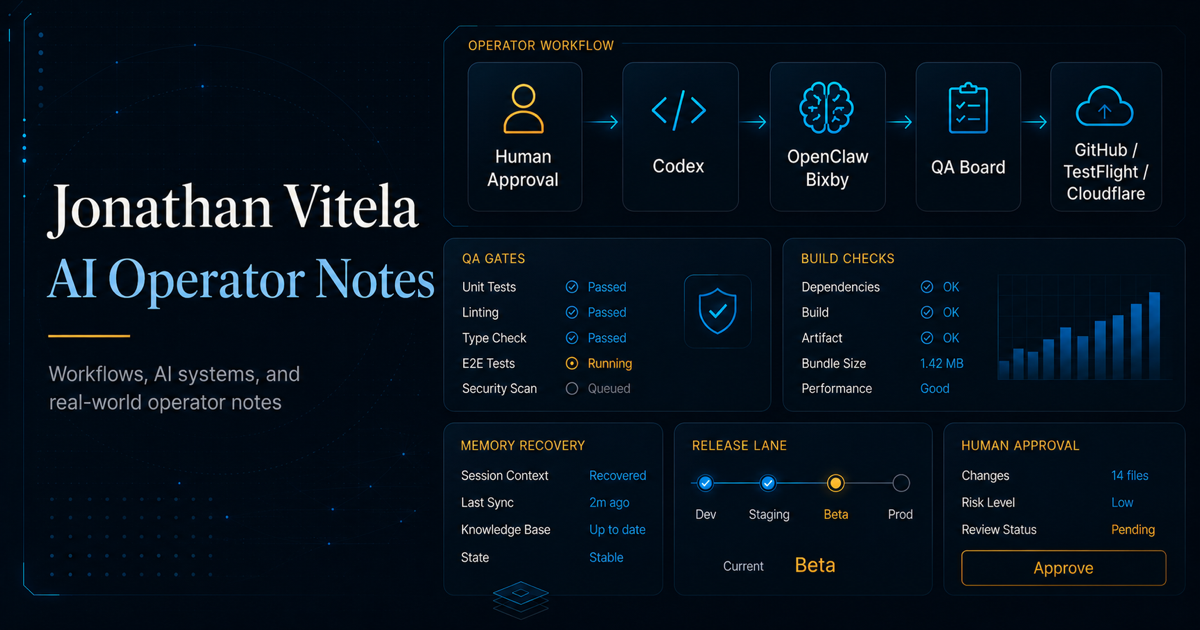
My recommendation is simple: when updating Hermes, OpenClaw, or a similar agent stack, use Codex or Claude Code as the update operator. Do not ask it to improvise. Put it inside a narrow maintenance procedure and make it prove each step before it continues.
The value is not magic. The value is controlled execution: inspect, back up, report, wait for approval, update, restart, smoke test, and document what changed.
The update mindset
Treat your agent like live infrastructure, even if it is only serving you. If your agent is connected to Telegram, Slack, dashboards, cron jobs, local skills, long-term memory, or project files, then the update has operational weight.
The right question is not, "Can the agent run the update?" The right question is, "Can the agent update itself while protecting the state that makes it valuable?"
- Do not combine work lanes. Updating the agent is one lane. Feature work is another.
- Backups happen before motion. If a file would hurt to lose, preserve it first.
- Approval is a checkpoint. The assistant should stop and ask for GO before the update command runs.
- Logs beat guessing. If something fails, read the logs before changing providers, models, config, or credentials.
- Smoke tests decide when you are done. The update is not complete just because the command finished.
What Codex or Claude Code does
Codex and Claude Code are useful here because they can hold the whole maintenance sequence in view. They can inspect state, compare output, preserve a backup record, and keep the operator from clicking through a risky update by habit.
Guardrails first
The most important part of the prompt is the rules section. The assistant needs permission to operate, but it also needs boundaries. Those boundaries protect the system from unrelated cleanup, accidental credential handling, and silent config drift.
Do not let the update turn into a cleanup project. If the task is "update Hermes," the assistant should not refactor skills, rotate secrets, change models, delete old backups, or reorganize config unless you explicitly approve that separate action.
- Do not delete anything unless explicitly approved.
- Do not print, rotate, or edit secrets.
- Do not change providers, models, tools, skills, or dashboards unless required for the update.
- Do not perform unrelated cleanup.
- Stop before destructive, uncertain, or irreversible actions.
- Treat the gateway as live production infrastructure.
Pre-update checks
Before updating, establish a baseline. You want to know whether the system was healthy before the update, how far behind it is, and whether any local changes could be affected.
hermes --version
hermes status
hermes gateway status
git -C ~/.hermes/hermes-agent status -sb
git -C ~/.hermes/hermes-agent rev-parse --short HEAD
git -C ~/.hermes/hermes-agent rev-parse --short @{upstream}
git -C ~/.hermes/hermes-agent rev-list --left-right --count HEAD...@{upstream}
For OpenClaw, use the matching commands for your install. The pattern stays the same: version, status, gateway/channel health, repo status, and update distance.
Backup checklist
A good backup does not have to be fancy. It needs to exist, include the right files, have a checksum, and be easy to find later. I prefer a timestamped backup folder with a compressed archive and a hash file.
- Config: main config file and any profile-specific config.
- Environment: env files without printing their contents into public output.
- Auth metadata: auth stores or credential references, handled carefully.
- Skills: local and installed skills that define agent behavior.
- Sessions: active or recoverable session state.
- Cron/jobs: scheduled jobs and automation definitions.
- Profiles: agent profiles, specialist profiles, and routing shells.
- Gateway state: gateway files if your install has them.
- Repo state: git status, HEAD, upstream, and behind/ahead counts.
Storage note: backups do take space. Keep the newest few, keep incident-specific backups, and prune older ones only after the system has been stable and you have reviewed exactly what will be removed.
The GO gate
This is the step that makes the workflow feel calm. After the assistant gathers the baseline and creates the backup, it stops. It reports the current version, update distance, gateway status, backup path, and checksum result. Then it waits.
That pause matters. It gives the human operator a chance to catch wrong assumptions before the update touches the system.
Simple rule: no GO, no update.
Update lane
Once GO is given, keep the action narrow. Run the official update command, then immediately check the system state. Do not use the successful update message as the only proof.
hermes update
hermes --version
hermes status
hermes gateway status
git -C ~/.hermes/hermes-agent status -sb
git -C ~/.hermes/hermes-agent rev-list --left-right --count HEAD...@{upstream}
If the update restarts the gateway or stops a dashboard process, treat that as expected maintenance noise only after you verify the service came back correctly.
Verification
The update is done when the agent proves it can still work. A minimal smoke test should be boring by design: no complex reasoning, no tool chain, no long task. Ask for a tiny deterministic reply and check the exit code or chat response.
hermes -z OK
hermes --provider openai-codex -m gpt-5.5 -z "Reply exactly: OK"
In a Telegram-connected setup, also send a simple manual message through Telegram. If Telegram is the normal operator interface, Telegram needs to be part of the test.
Dashboard and Kanban checks
If you use a dashboard, Kanban board, portal, or local SSH tunnel, verify that too. A gateway can be healthy while a dashboard process is stopped after the update. That does not mean the update failed, but it does mean the maintenance lane is not complete yet.
- Confirm the dashboard process is running.
- Confirm the local tunnel still points to the expected port.
- Open the dashboard from the same shortcut or URL you normally use.
- Check Kanban diagnostics or board health if your stack provides them.
- Update desktop shortcuts only if the path or launch behavior actually changed.
Copy/paste prompt template
This is the kind of prompt I would give Codex or Claude Code before an agent update. Replace the paths, commands, and platform names with your own setup.
You are helping me run a controlled update on my Hermes/OpenClaw agent.

Goal:
Update the agent safely without losing config, auth, skills, memory, sessions, cron jobs, gateway state, dashboard access, or chat connectivity.

Rules:
- Do not delete anything.
- Do not rotate, expose, print, or edit secrets.
- Do not change providers, models, tools, skills, or config unless required for the update.
- Do not perform unrelated cleanup.
- Treat the gateway/chat connection as live production infrastructure.
- Stop and report before any destructive or uncertain action.
- Create a backup before the update.
- Ask me for GO before running the update command.

Required sequence:
1. Pre-check version, status, gateway/chat status, repo status, current commit, upstream commit, and behind/ahead count.
2. Create a timestamped backup of config, env files, auth metadata, skills, sessions, cron/jobs, profiles, gateway files if present, and repo state.
3. Create an archive and checksum. Verify the checksum and list the archive contents.
4. Stop and report the current version, update distance, gateway status, backup path, and checksum verification result.
5. Wait for me to say GO.
6. After GO, run the update.
7. Re-check version, status, gateway/chat status, repo status, and behind/ahead count.
8. Run a simple smoke test.
9. Verify dashboard/Kanban access if applicable.
10. Give me a final report with the old version, new version, update result, gateway/chat status, errors or warnings, and rollback backup path.
Lessons learned
The best agent update is boring. Boring means the assistant checked the current state, preserved the important files, waited for approval, ran the official update path, restarted what needed to be restarted, and proved the system was usable again.
Codex and Claude Code are strong tools for this because they can keep the checklist alive while the human operator makes the actual decisions. That is the balance I want in my own stack: faster execution, slower irreversible decisions.
My operating rule: use the models like a maintenance team, not like a slot machine. Give them the lane, give them the guardrails, and make them show their work before the system moves.